Trim Sheet Exercise - Week 1 -
I am in the process of relearning 3DSMax, thanks to the help of some good friends the ramp up time has been minimal.
Trim sheets will be my focus over the next few weeks
Wednesday, July 22, 2015
Monday, July 6, 2015
Another weekend, another exercise :)
Looking to find a better understanding of the foundations in design, this time around it is in shape breakup, visual flow, and line weight.
Spent a few hours blocking out and moving the main shapes around to find a favorable breakup of elements, with a hint to secondary details. More to come
Looking to find a better understanding of the foundations in design, this time around it is in shape breakup, visual flow, and line weight.
Spent a few hours blocking out and moving the main shapes around to find a favorable breakup of elements, with a hint to secondary details. More to come
Monday, June 29, 2015
Terrain Workflow Exercises // Unreal 4 //
With the weekend coming to a close I wanted to post the results of the Terrain Exercise I have been working on.
Unreal 4 Captures
Terrain material setup in Unreal
-Setting up the Terrain PBR Material was my favorite part of the process. It took several hours of tweaking and revisiting maps in Photoshop to hone in the desired look.
-The only problem I ran into was with the Roughness map. Unreal 4 requires you to invert the red channel of your control map by utilizing a 1-x node within the material editor.
-I also recently learned that Substance Designer has a plugin for Unreal which allows you to update your catalog of texture maps in real time, assuming it works without issue you could really reduce the time spent on adjusting textures.
3rd Person Camera for scale-
Wrap Up
1. Zbrush or Mudbox // Create rough displacement maps to be utilized in World Machine
2. World Machine // Node based authoring to generate various maps |height|normal|flow|splat|
3. Photoshop // Authoring, Organizing, and Finalizing .tga files for engine.
4. Unreal 4 // Import height map for terrain tool, import texture maps, and create/author terrain PBR material.
With the weekend coming to a close I wanted to post the results of the Terrain Exercise I have been working on.
Unreal 4 Captures
Terrain material setup in Unreal
-Setting up the Terrain PBR Material was my favorite part of the process. It took several hours of tweaking and revisiting maps in Photoshop to hone in the desired look.
-The only problem I ran into was with the Roughness map. Unreal 4 requires you to invert the red channel of your control map by utilizing a 1-x node within the material editor.
-I also recently learned that Substance Designer has a plugin for Unreal which allows you to update your catalog of texture maps in real time, assuming it works without issue you could really reduce the time spent on adjusting textures.
3rd Person Camera for scale-
Aerial shot
Wrap Up
1. Zbrush or Mudbox // Create rough displacement maps to be utilized in World Machine
2. World Machine // Node based authoring to generate various maps |height|normal|flow|splat|
3. Photoshop // Authoring, Organizing, and Finalizing .tga files for engine.
4. Unreal 4 // Import height map for terrain tool, import texture maps, and create/author terrain PBR material.
Tuesday, June 23, 2015
Nothing spectacular at this point, generating some terrains out of World Machine and spitting out some displacements for use within Mudbox. Next will be getting these maps into Unreal 4
Terrain 01
Terrain 02
Vector Displacement Map usage in Mudbox
Monday, June 15, 2015
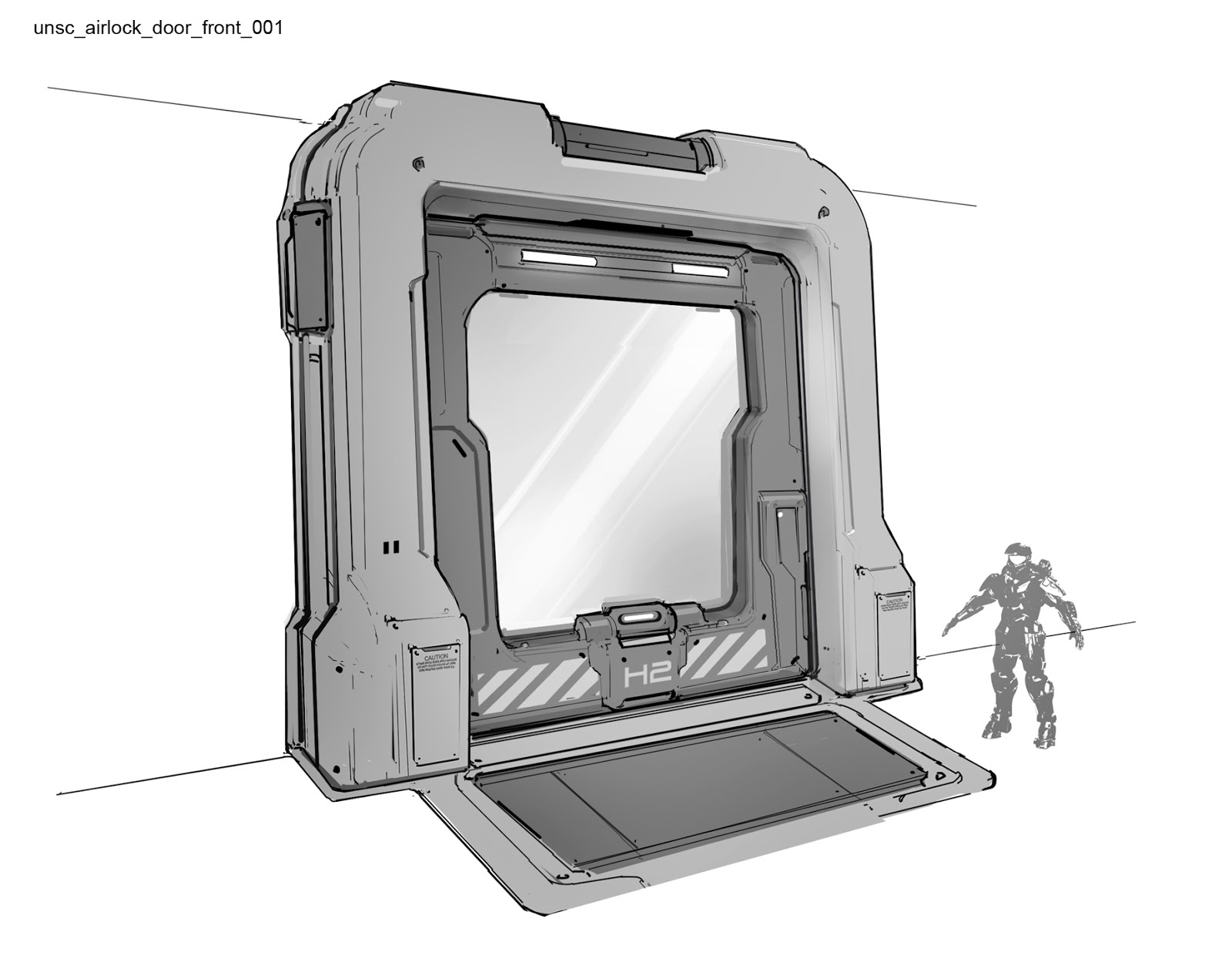
During production of Halo 4 I had the honor of working with some amazing concept artists. This door was Designed by Josh Kao, who is still rocking it here at 343.
Out of all the assets I modeled for Halo 4 this one was by far the most fun. The high poly never received a proper render in production as the schedule had all of us moving right along.
I'm looking forward to showing the work I have completed on Halo 5. But until then, here is a proper render this asset deserves.
Tuesday, April 14, 2015
This scene has evolved many times over and it feels like things are finally coming together.
Its time to show some love to the focal point. I tied my hand at some paint over work to help resolve the design of the door, I want the door to feel utilitarian while very much grounded in a sci fi genre.
Breaking up the hard surface work, I dived into zbrush this past week. Head busts are always fun as they allow for quick exercises in anatomy. // Here are the results
Monday, April 6, 2015
Thursday, March 26, 2015
Tuesday, March 3, 2015
Sunday, January 4, 2015
I was always fascinated by the aesthetic of military equipment. Set aside the over done weapons and vehicles, and you still have an amazing catalog of equipment to use in hard surface studies.
During my deployment, patrols would utilize these portable fuel depots. Fuel, like many other mission vital liquids were often transported in these containers with varying designs.
Color Variations
Subscribe to:
Comments (Atom)